A customer portal in Shopify for Tinx-IT
Tinx Customer Portal brings the documents from Microsoft Dynamics 365 Business Central into the Shopify customer account. Customers see their orders, invoices, shipments, returns and credit memos live, download the PDF and order a past order again, without picking up the phone.
Visit the website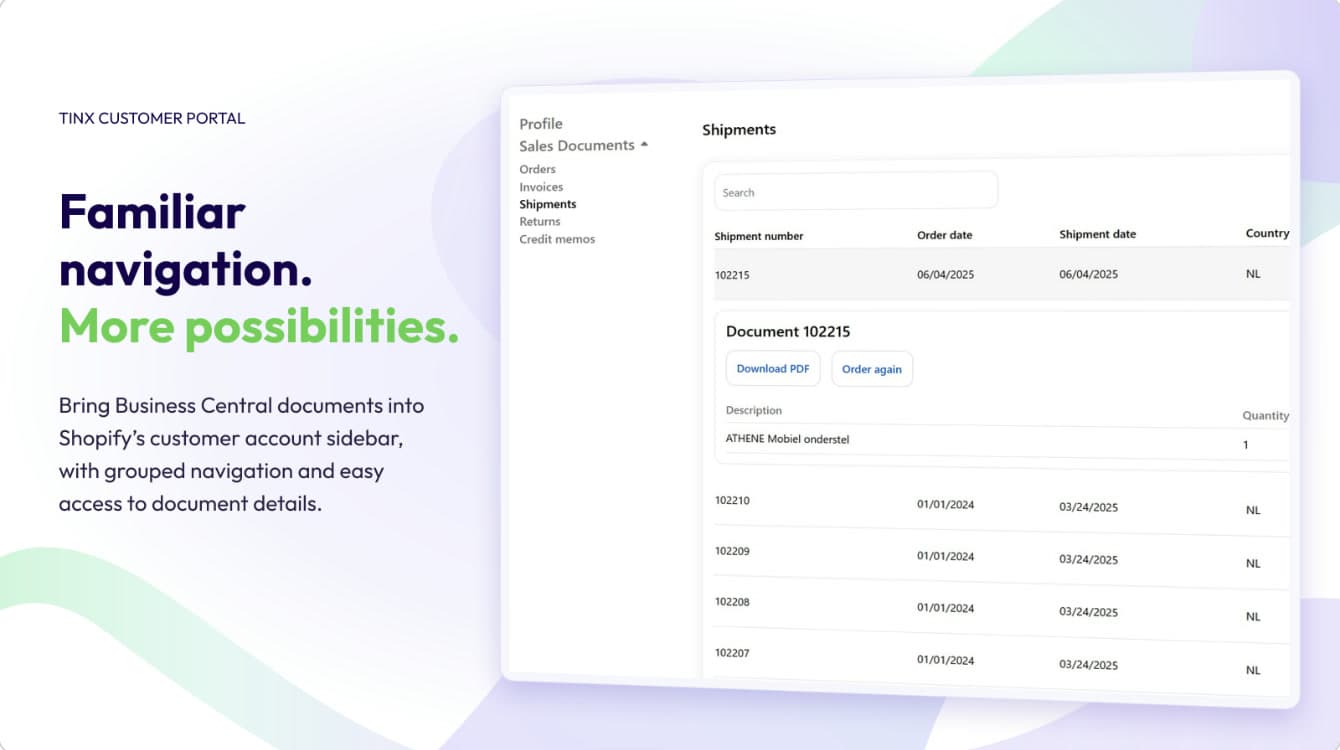
What we do for this client
Business Central in the customer account
A customer sees their own orders, invoices, shipments, returns, credit memos and quotes in their Shopify account, live from Business Central. The app keeps no documents: Business Central stays the source, and the customer sees what their account manager sees.
PDF and ordering again
The original PDF comes straight from Business Central, through a single-use link that expires after five minutes. Ordering again first shows what can and cannot go in the cart, with the reason for each line.
Set up per store
The merchant chooses which documents appear, in what order, with which columns, and whether details, PDF and ordering again are on. A custom API page in Business Central becomes a section without a new release.
In the Shopify App Store
A dashboard counts usage, response times and failures. The portal is available in Dutch and English, and the app is in the Shopify App Store as Tinx Customer Portal.
In the customer account
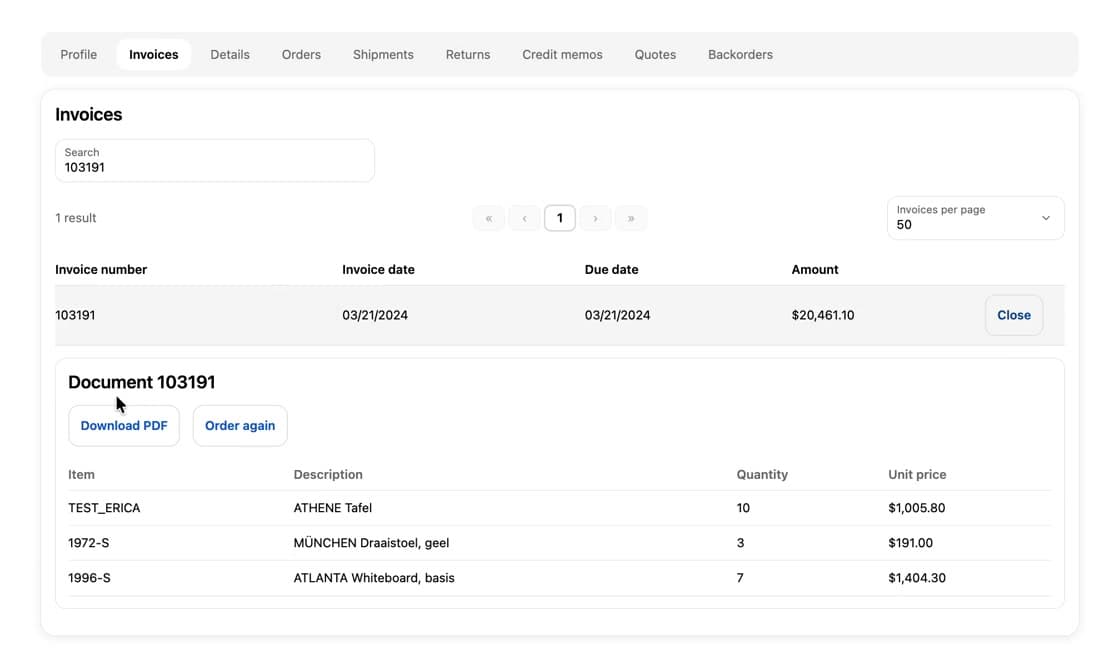
This is how Tinx-IT's customers see their invoices. Every document type has its own tab, from orders and shipments to returns and credit memos. In each tab you search by number and choose how many appear on a page, and a row opens the document's lines.
- No separate portal: customers find their documents where they also order, in their Shopify account.
- Always up to date: every table and every PDF comes from Business Central at that very moment.
- Reorder from the invoice: with Order again, a previous order is back in the cart after one check.
In the Shopify admin
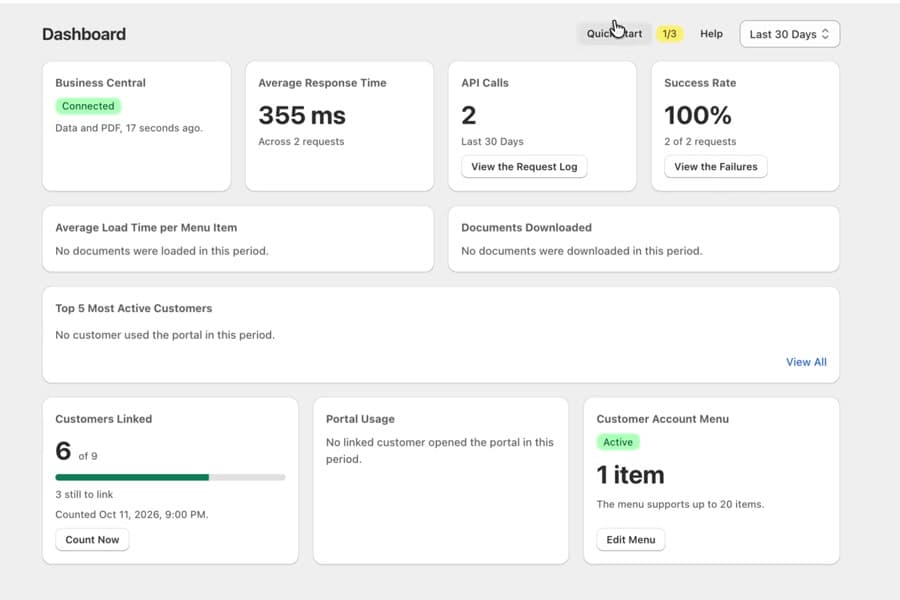
Management lives as an app in the Shopify admin, in Dutch, English, German and French. The dashboard shows on one screen whether the integration works and how customers use the portal, over a period of your choice.
- The integration: whether Business Central can be reached, the average response time, the number of requests and the success rate, with a log behind it.
- The customers: which documents they download, who uses the portal most and how many customers are already linked.
- The menu: the app creates the links in the customer account at the press of a button.
- No extra load: the dashboard counts everything in the app's own tables, so opening it costs Business Central not a single request.