Every hour, we check every site we run
A vulnerability does not wait for your maintenance round. That is why our Updater checks every hour whether the sites and apps we run are up to date. Here is how it works, and what it looks like.
A vulnerability is a revenue problem
For a web shop, a vulnerability is not an IT problem. A hacked site stops taking orders, and so does a site that is down. If customer data leaks, you lose more than a day of sales.
Most vulnerabilities are not in the code we write, but in everything it runs on: Drupal, Laravel, WordPress, Next.js and the hundreds of packages underneath. As soon as one is known, it is listed in public databases. People who want to exploit it read those lists too.
A monthly maintenance round is too slow for that. So we built the Updater.
What the Updater does
Every hour the Updater asks each site and app we run which versions it runs: the core, its modules and plugins, its packages and PHP. It compares that list with public sources of known vulnerabilities:
- Drupal's security advisories, through Drupal's own Update module;
- Packagist for PHP packages and npm for JavaScript packages;
- Wordfence for WordPress plugins and themes, fetched again every six hours;
- php.net and endoflife.date for versions that no longer get security updates.
It also checks the health of a site: does cron run, are there errors in the logs, and is the last deploy actually live.
Critical, attention or OK
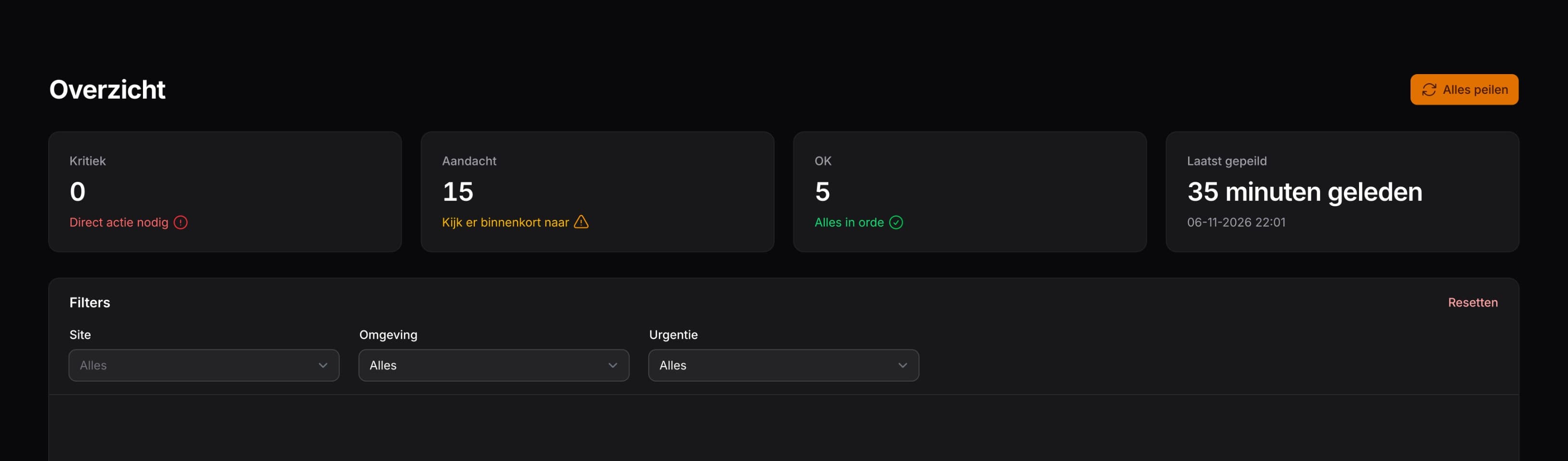
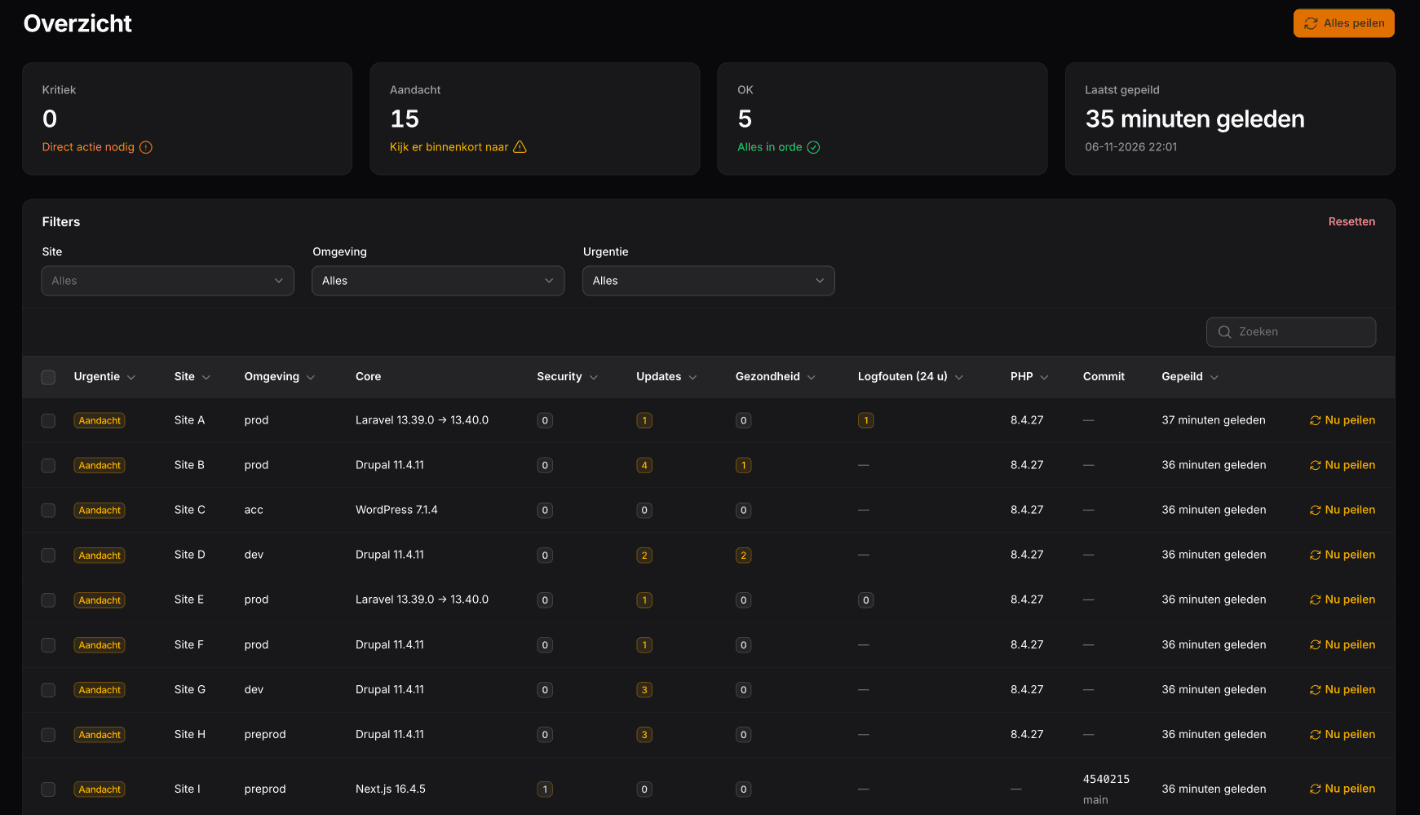
Each environment gets one of three labels. Kritiek (critical): a known vulnerability of real severity, or a version without security updates. We get to work on that right away. Aandacht (attention): a regular update is waiting, or a low-severity vulnerability. That goes into the next round. OK: there is nothing to do.
When we took the screenshot, nothing was critical. The fifteen environments marked for attention mostly had regular updates waiting, such as Laravel 13.39 to 13.40.
A closer look
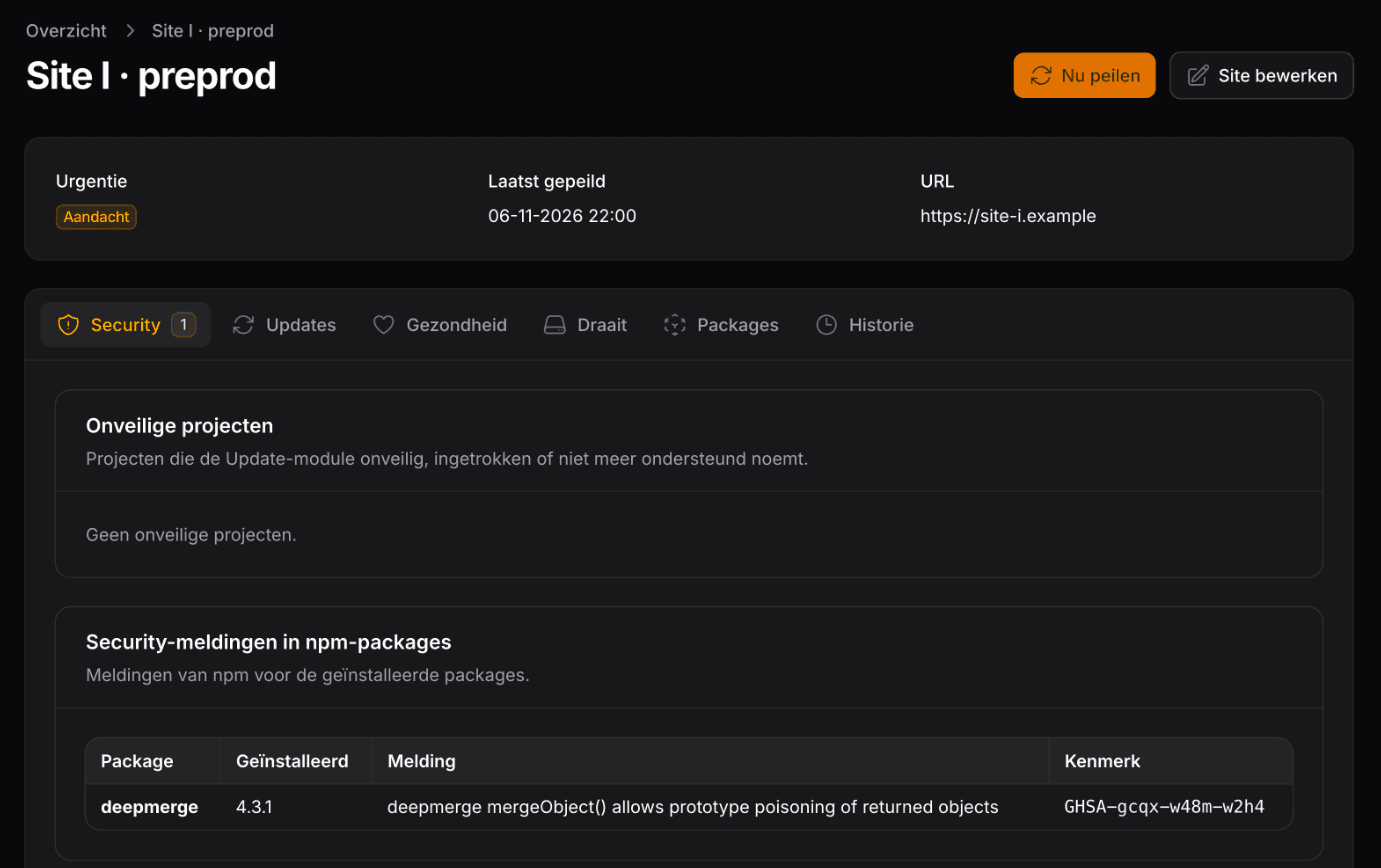
Site I, a test environment, runs deepmerge 4.3.1: an npm package with a known vulnerability. npm rates it low severity, so the Updater marks the environment for attention, not as critical.
From alert to update
When something is critical, we prepare the update the same day. It goes through a review and then live. That is how it went on November 5 with the security updates for Symfony, a component Drupal and Laravel run on: they were live on this site and on the Updater itself the same morning.
The Updater does not install anything itself, it only reads. An update can break things too. So someone always looks at it before it goes live.
Our stance
At Brandbrand, a known vulnerability never waits for the next maintenance round.Remco, CTO at Brandbrand
A monitor must not be a weak spot itself
An overview of every version on every site is interesting to an attacker too. So the Updater only talks to a site through requests signed with a separate secret per environment. A site only answers when the request comes from our server; anything else gets an empty 404. Signing in to the Updater requires two-step verification.
What this means for you
If we run your site or app, the Updater checks it every hour. You do not have to do anything for it.
Somewhere else? Ask your agency two questions: how soon do you know about a vulnerability, and how soon is the update live? Email us if you want to know how that works for you.